
Profession-Specific Career Pathways, Technical and Professional Skills
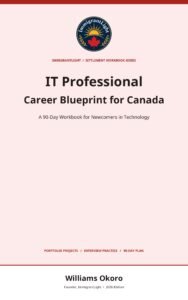
A 90-day plan for your first or next Canadian technology role. Choose a realistic target, decide which certifications are worth it, benchmark pay, and build proof of your skills that employers can review.
Become a member to read the full guide
This page is a free preview. Members read the complete guide online in the browser; guides are not downloadable.
Preview
ImmigrantLight exists so newcomers do not have to navigate their Canadian journey alone. We share practical guides, free resources and community support to help you find your next step.
Visit the site to read free guides, find the newsletter signup, ask a general question, or share a lesson from your own settlement journey. Keep private documents and case details out of public discussions.
The complete guide is available to members: five practical modules and a 90-day plan, plus online worksheets.
Who this guide is for
Internationally trained professionals, career changers and newcomers aiming for support, infrastructure, cloud, security, data or development roles.
What you will be able to do
- One target role chosen on real duties and local demand
- A certification shortlist and a pay benchmark from Canadian wage data
- A posting-specific resume and a small portfolio project
- Interview stories and a 90-day plan with an application tracker
Table of contents
- About ImmigrantLight
- How to use this guide
- 1. Choose your Canadian IT target
- Choose a lane based on real duties
- Compare cities and employer types
- Score two realistic options
- 2. Plan certifications and compensation
- Shortlist credentials by role
- Decide when to invest
- Use Canadian wage data as a benchmark
- Compare offers and talk about pay
- 3. Show evidence of your work
- Build a Canadian résumé around a posting
- Rewrite duties into results
- Review a sample IT support résumé
- Improve your profile for one role
- Build a proof package an employer can review
- Choose a two-week project
- 4. Prepare for interviews and outreach
- Practise a technical troubleshooting answer
- Build three behavioural stories
- Prepare for the screen and the hiring team
- Turn a contact into a useful conversation
- Screen opportunities before applying
- 5. Run a 90-day plan
- Days 1–30 • Build the foundation
- Days 31–60 • Refine and interview
- Days 61–90 • Decide and adjust
- Choose the next responsibility to earn
- Record applications and next actions
- Questions newcomers ask
- Canadian job market and wage data
- Certification issuer pages
- Résumé, LinkedIn, remote work and safety
- Put three moves on your calendar
- Weekly progress scorecard
- More guides for your next step
- Meet Williams Okoro
- Keep learning with ImmigrantLight
Your first action
Compare five postings for one role in your target city and list the duties that repeat.
Version and review
| Version | 1.0 |
|---|---|
| Last updated | 2026-11-18 |
| Last reviewed | 2026-11-18 |
| Review schedule | Every 6 months |
| Content owner | Williams Okoro (Okowil Solutions Inc.) |
Change log
- 2026-11-18 | 1.0 | Fact check: Microsoft 365 Administrator Expert and MS-102 retirement wording updated
- 2026-11-18 | 1.0 | Converted from the ebook edition for online membership reading
Source references
Guides are general information, not legal, immigration, tax, financial or other regulated professional advice.
Related guides
 CPA Career Transition Guide for International Accountants
 Engineers’ Roadmap to Canada
 International Medical Graduate Career Guide
Ready for the full guide? Membership opens every guide in the library for online reading, with saved worksheets and bookmarks.